
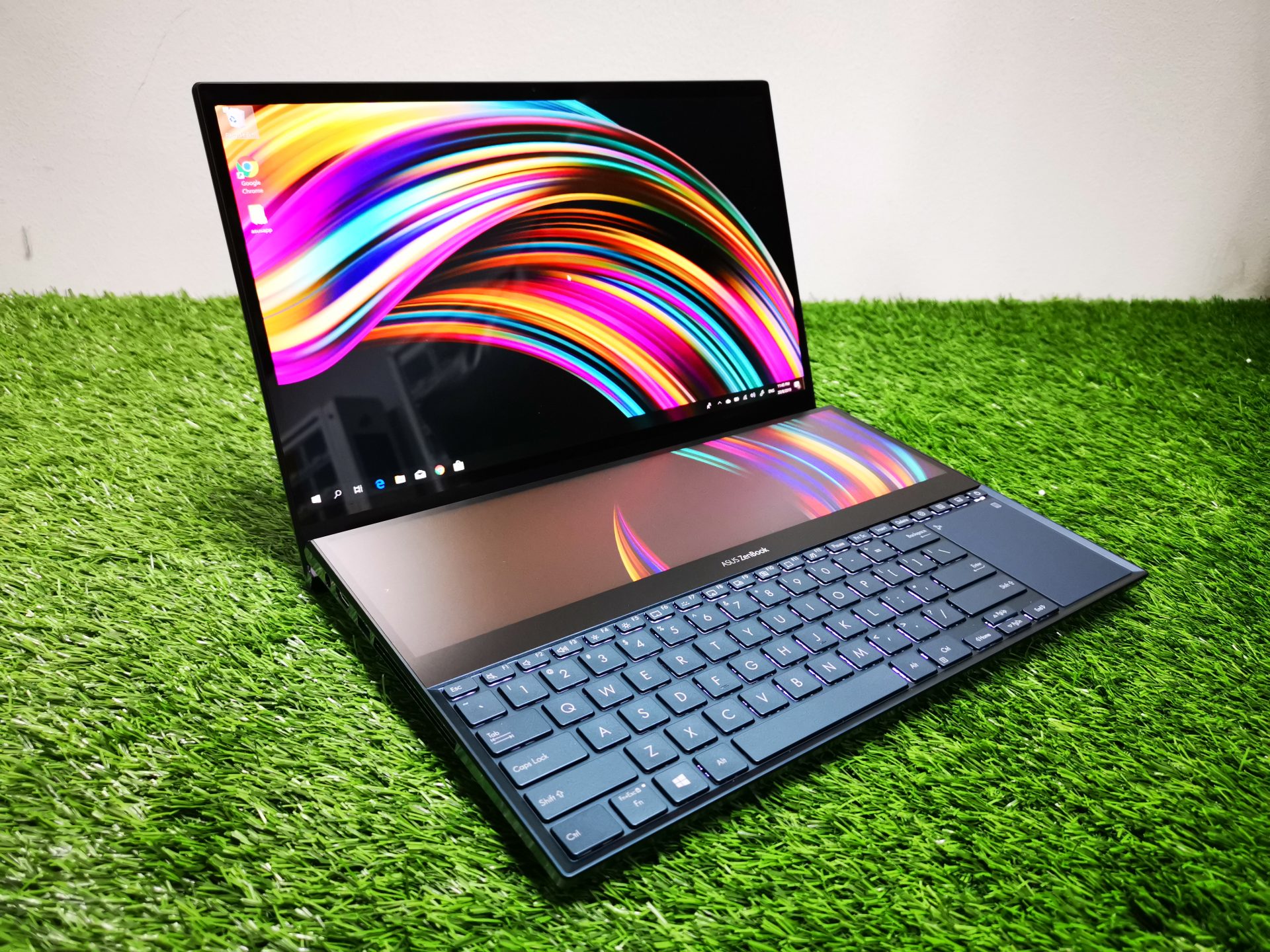
For years, the concept of laptops with multiple screens has been relegated to the realm of science fiction. While several manufacturers have attempted to bring this vision to life, the execution often fell short.
Asus aims to change this with the Zenbook Duo, a dual-screen laptop featuring a detachable physical keyboard, promising the best of both worlds: portability and desktop-level productivity.
Design and Features
The Zenbook Duo boasts two 14-inch touchscreen OLED displays, connected by a hinge, mirroring the layout of a book. One screen occupies the traditional laptop lid position, while the other replaces the conventional keyboard area.
The inclusion of a full-size, magnetically attachable keyboard and trackpad transforms the device into a standard laptop. Detaching the keyboard reveals the second screen, which can be used with an on-screen keyboard or the included stylus.
A built-in kickstand enhances versatility, allowing for various configurations, including a stacked vertical display or an open book layout.
Display and Performance
The 3K 120Hz OLED screens offer sharp visuals, deep blacks, and vibrant colors. Powered by Intel's Core Ultra processors, up to the Ultra 9, the Zenbook Duo handles everyday tasks, photo editing, and even driving multiple displays with ease.
While performance benchmarks place it on par with competitors like Dell, Lenovo, and even Apple's M1 Pro-equipped MacBooks, the device tends to run warm, especially under heavy loads.
Battery life is heavily dependent on screen usage, lasting around seven hours in standard laptop mode and approximately four hours when both screens are active.
Software and Additional Features
The Zenbook Duo ships with Windows 11, which provides native support for multi-screen setups, remembering app positions and automatically adjusting display orientations. Asus also includes software to manage the dual-screen experience, such as quick controls for toggling the lower screen, invoking the virtual keyboard, and swapping windows.
The Asus Dial and Control app offers customizable virtual controls on the second screen, though using it as a full secondary monitor might be more efficient for most users.
It's important to note that the Zenbook Duo will not support Microsoft’s Copilot+ AI features, as it relies on an older Intel chip.
Priced starting at £1,799, the Zenbook Duo is a premium device. While it offers a compelling dual-screen experience for users on the go, potential compromises include shorter battery life, added weight and thickness, and a higher price point compared to traditional laptops.
However, for those seeking a portable, productivity-focused dual-screen setup, the Zenbook Duo presents a promising solution.